SimplyTECH POS is a fast, reliable point-of-sale system built for retail shops, cafes, and small businesses in New Zealand. No subscriptions, no cloud lock-in — runs entirely on your own hardware.
Every screen is designed to be fast to learn and easy to use, even for staff with no POS experience.

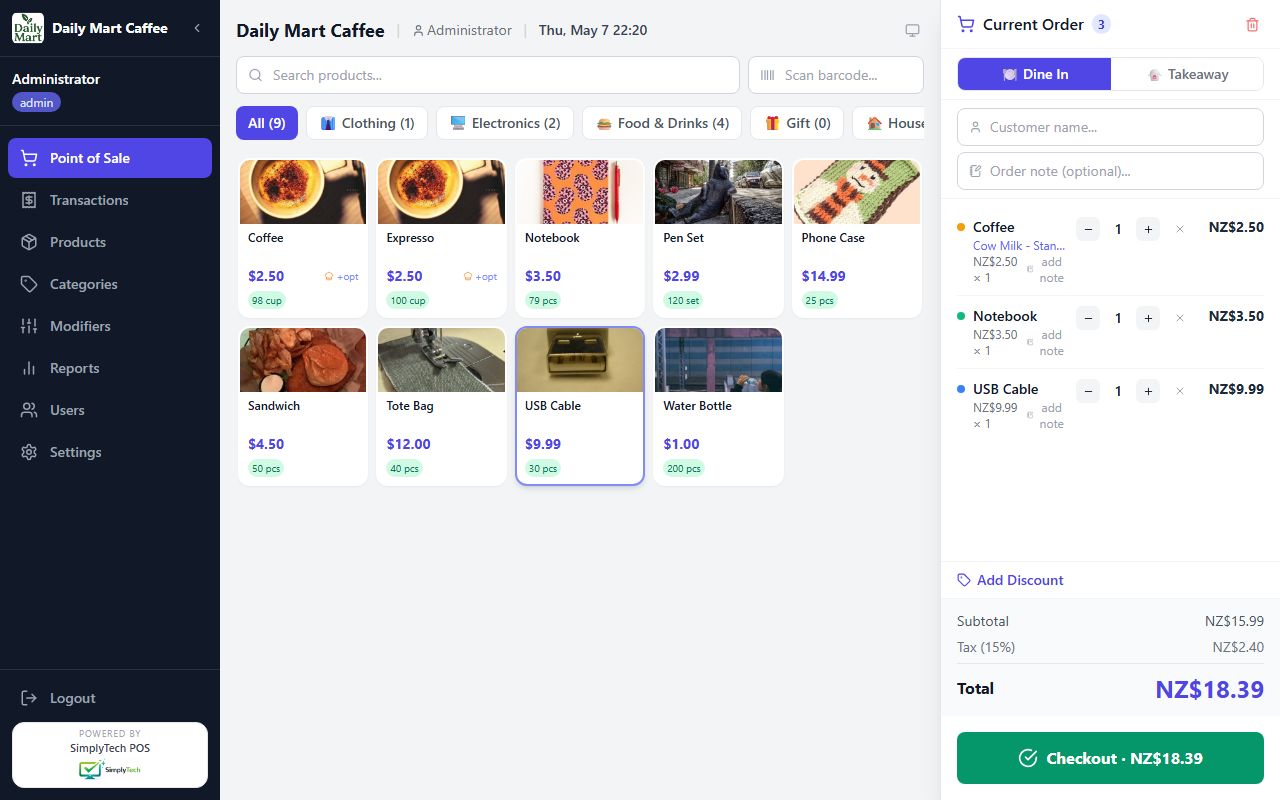
Main selling screen — product images, category tabs, barcode scan, and configurable grid size. Cart shows subtotal, tax and total in real time.

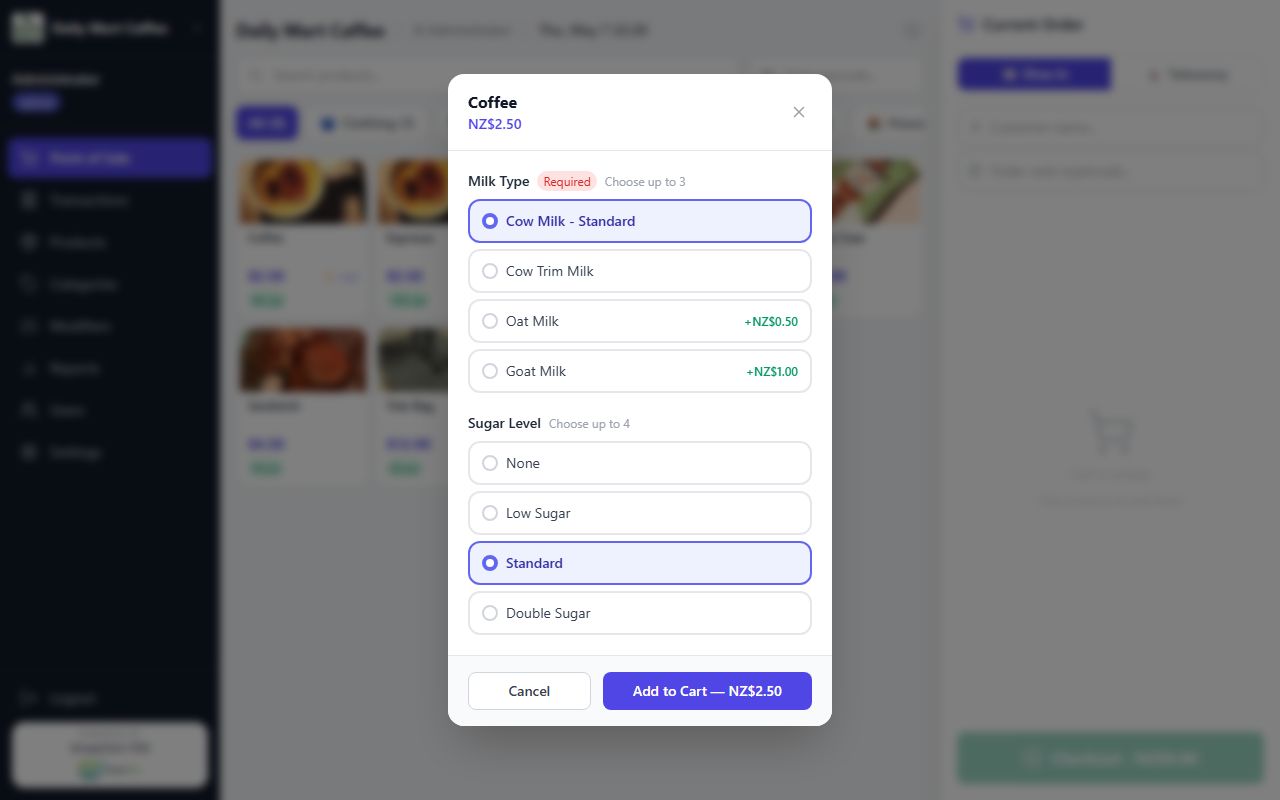
Modifier pop-ups let customers pick milk type, size, sugar level, or any custom option — with optional price add-ons and required selections.

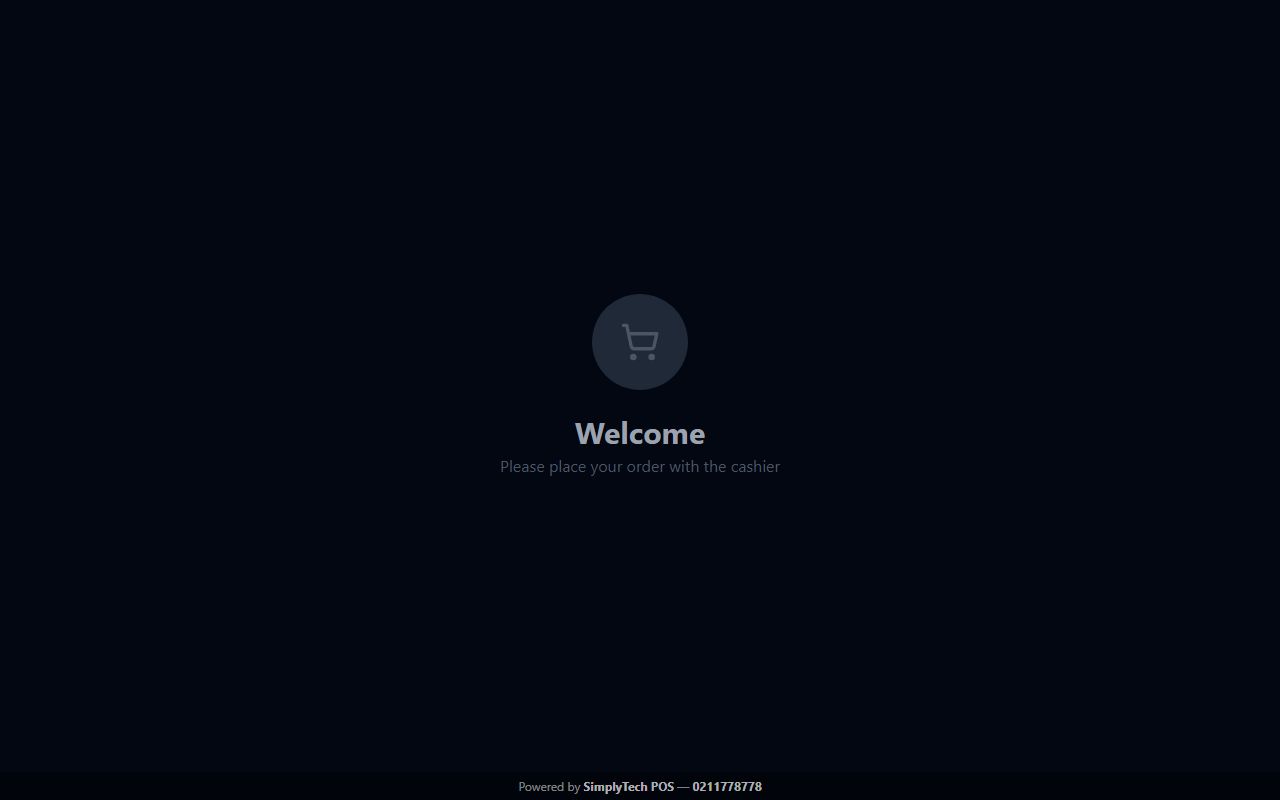
Customer-facing display updates live as items are added — shows order items, modifiers, subtotal, tax, and total. Powered by SimplyTech POS bar at the bottom.

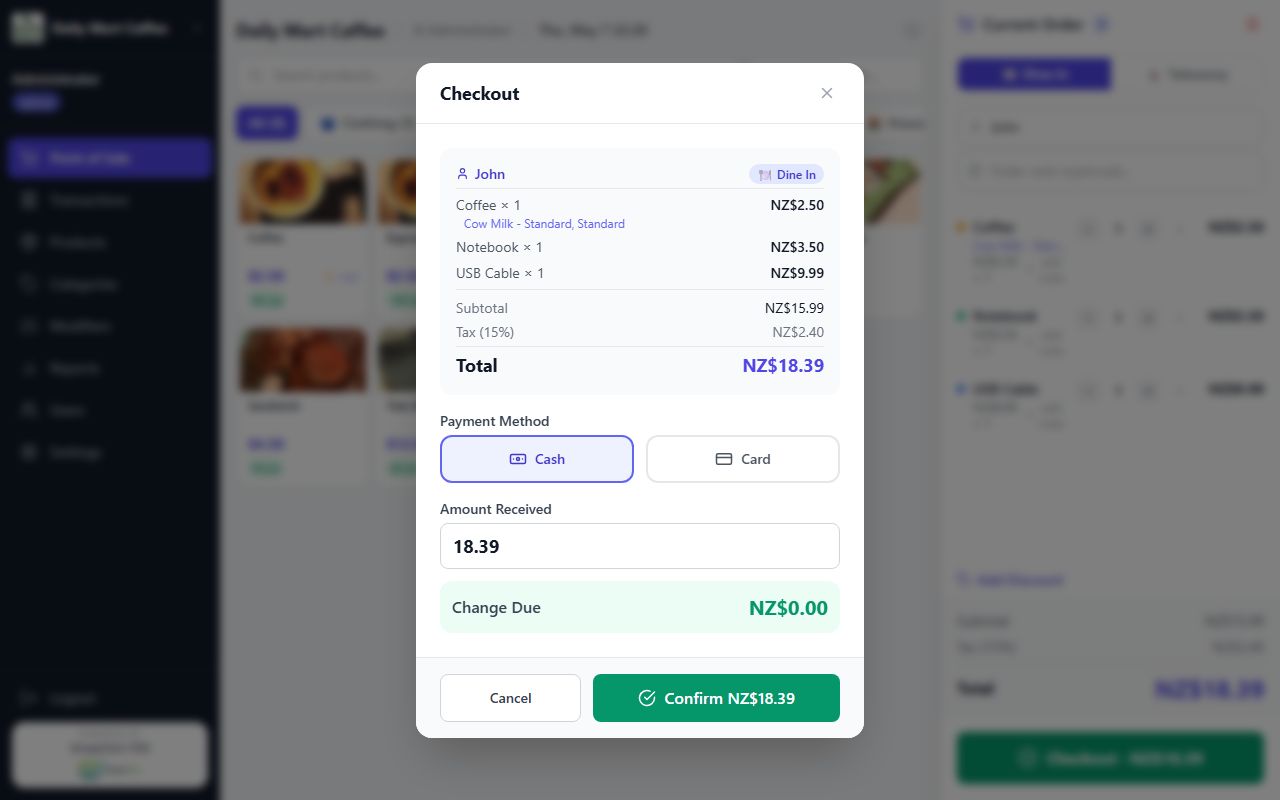
Cash checkout — enter amount received and the system instantly calculates the change due. Auto-opens the cash drawer on completion.

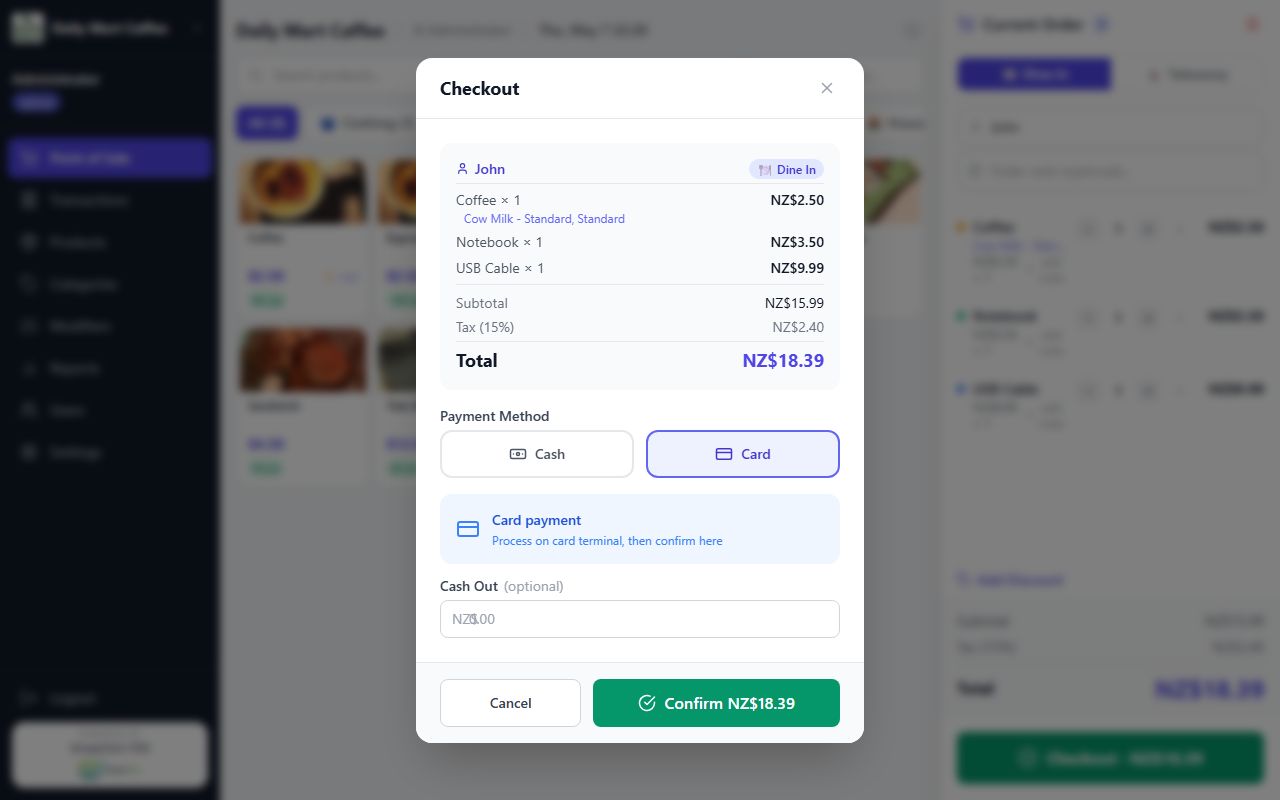
Card checkout — process payment on the EFTPOS terminal, then confirm here. Cash-out support included for customer withdrawals.

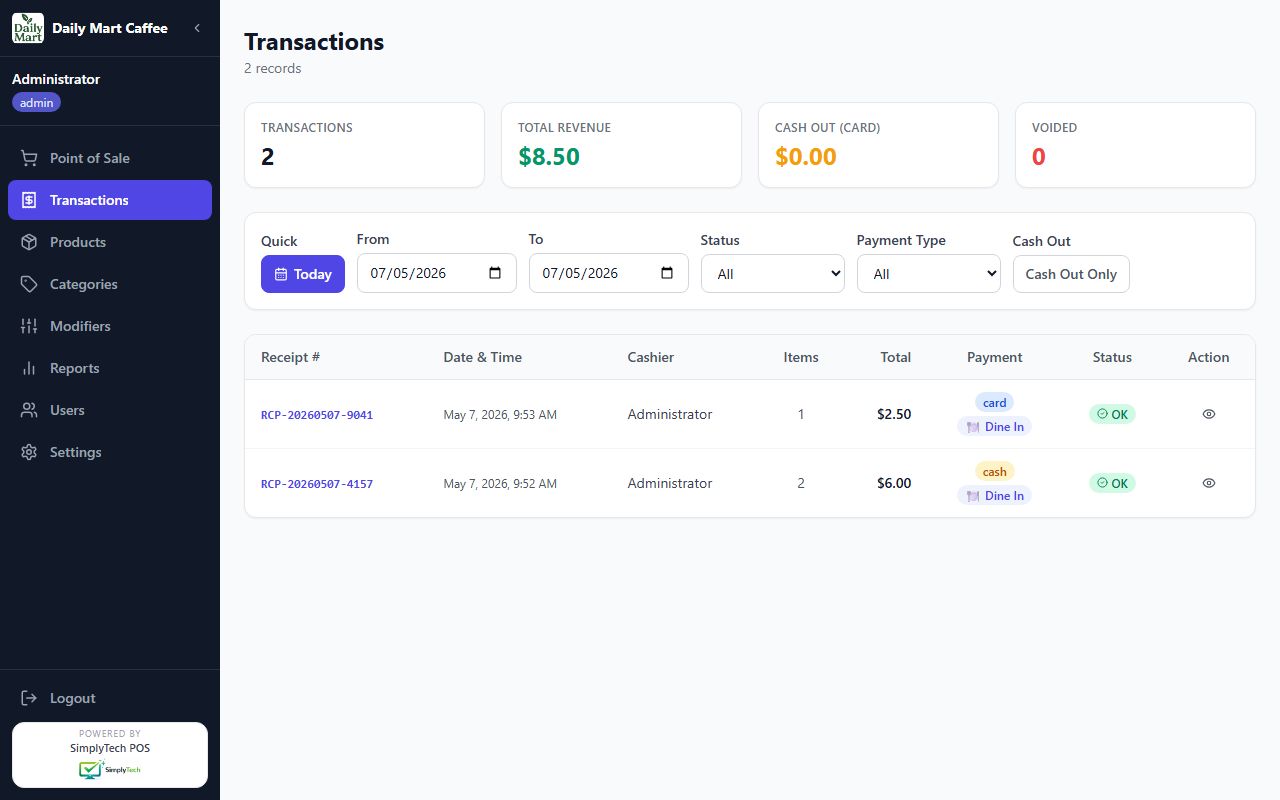
Full transaction history with receipt lookup, date filters, payment type and status. Void transactions with a single click.

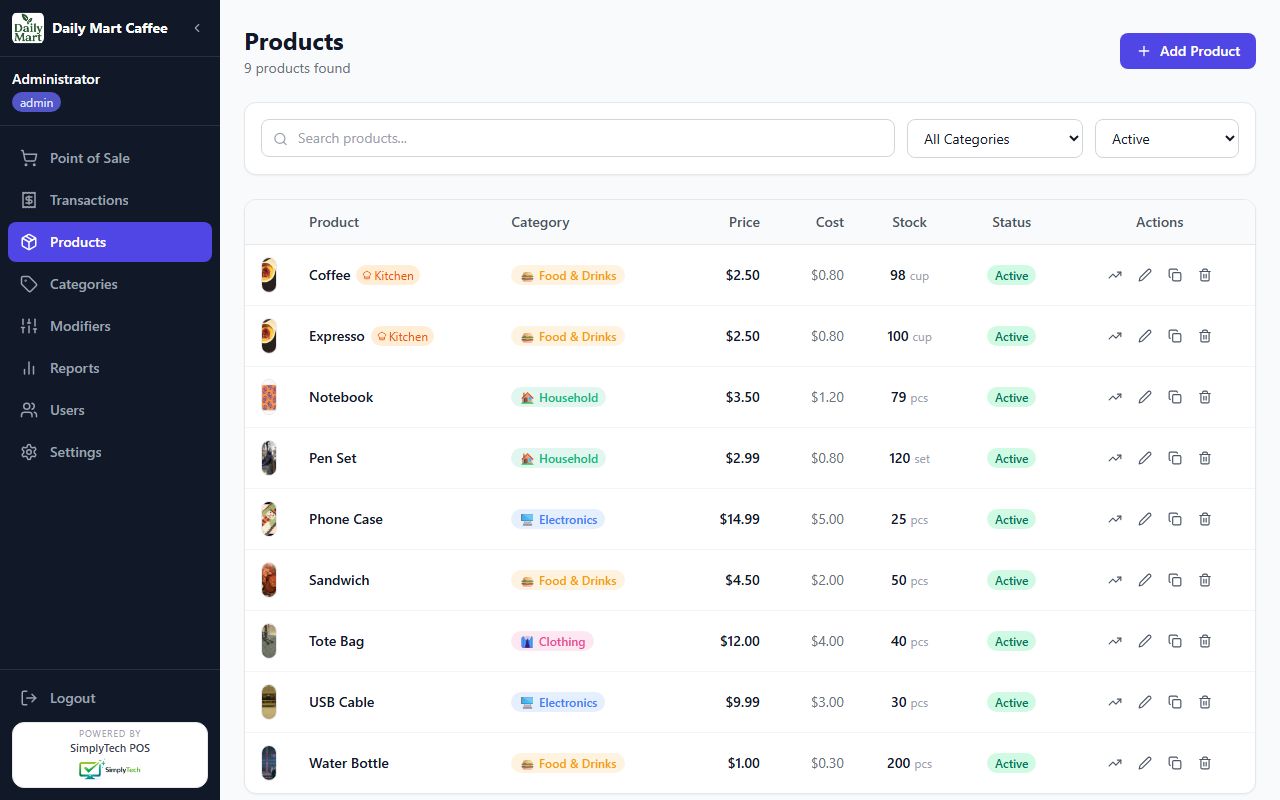
Manage all products — product images, prices, stock levels, categories, and modifiers all in one place.

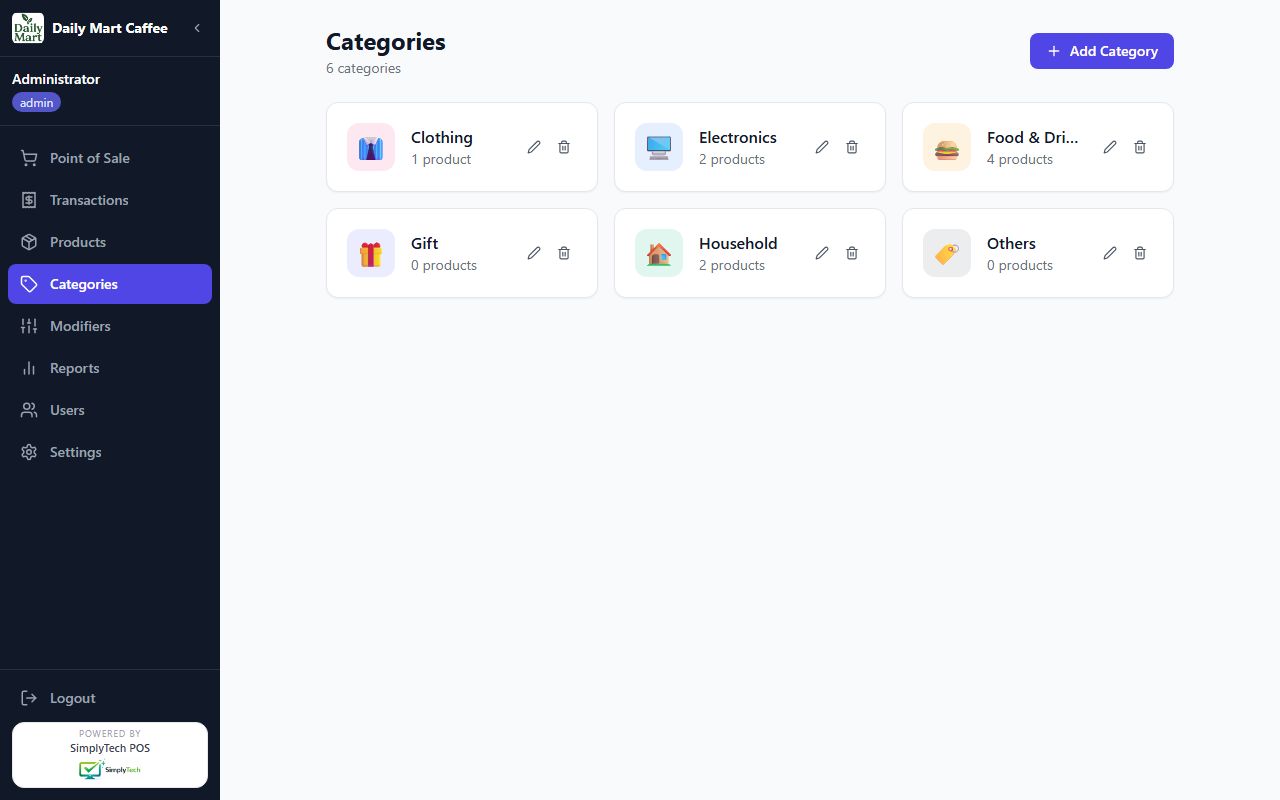
Organise products into colour-coded categories with custom emoji icons for fast visual browsing.

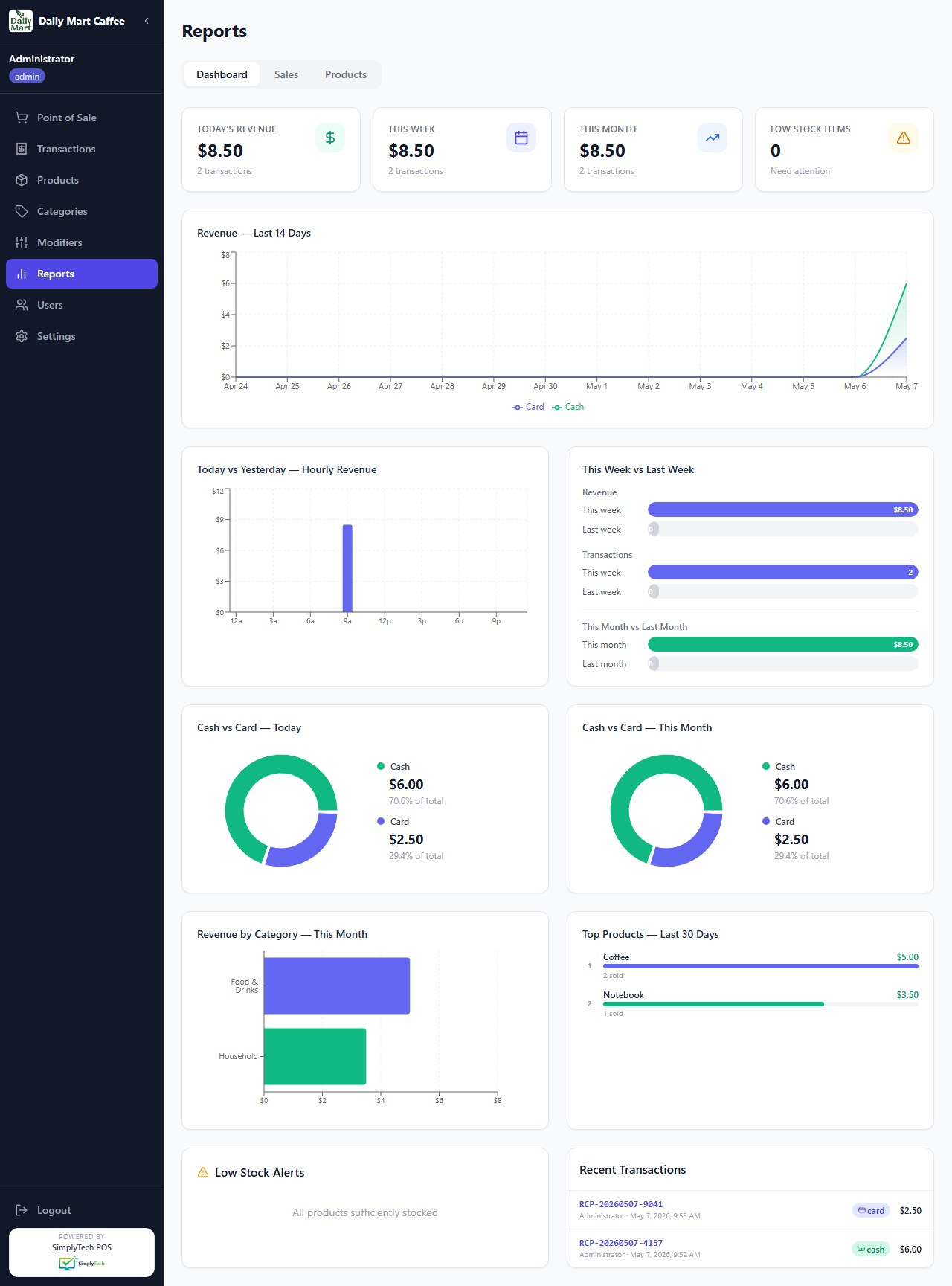
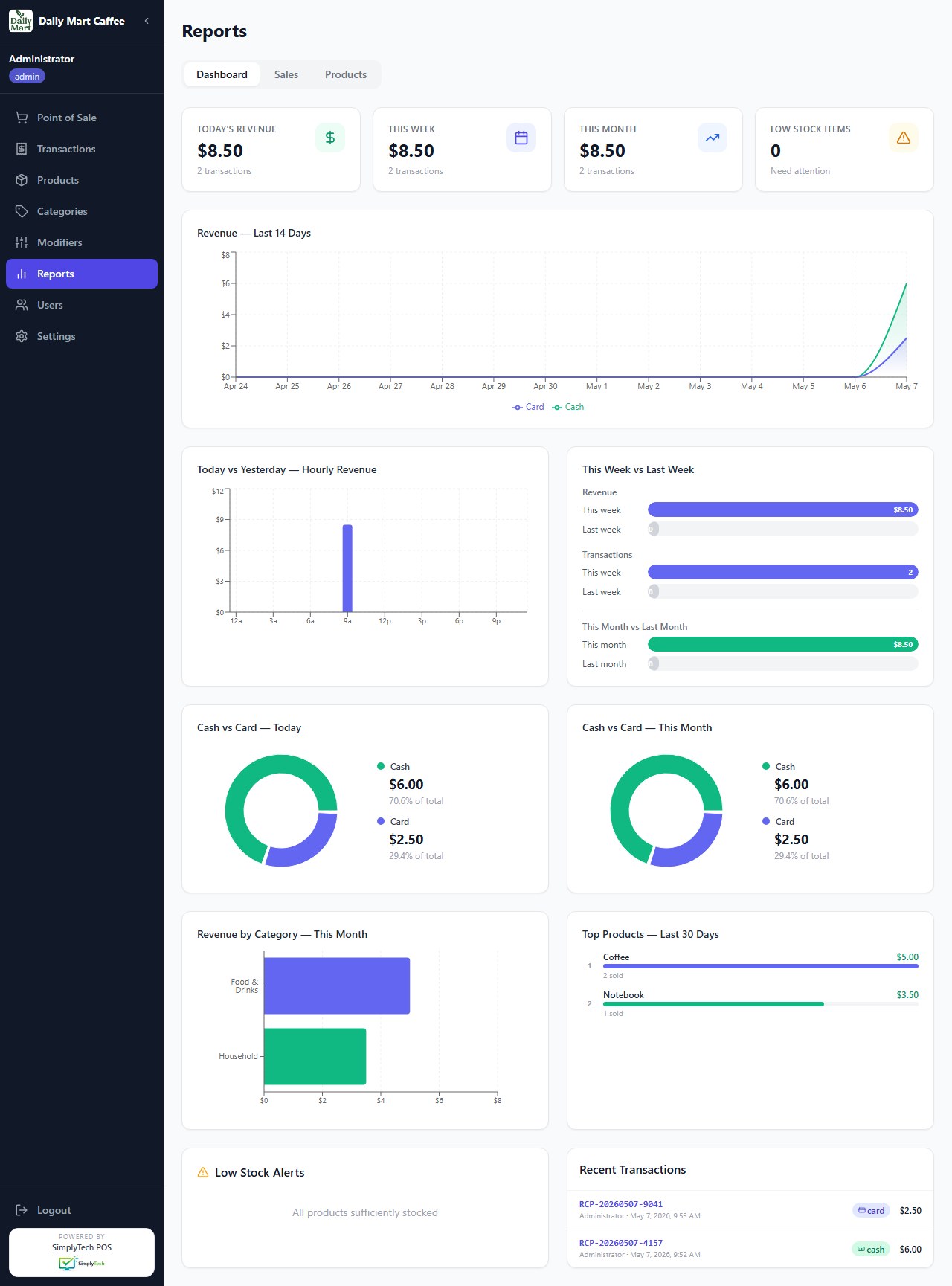
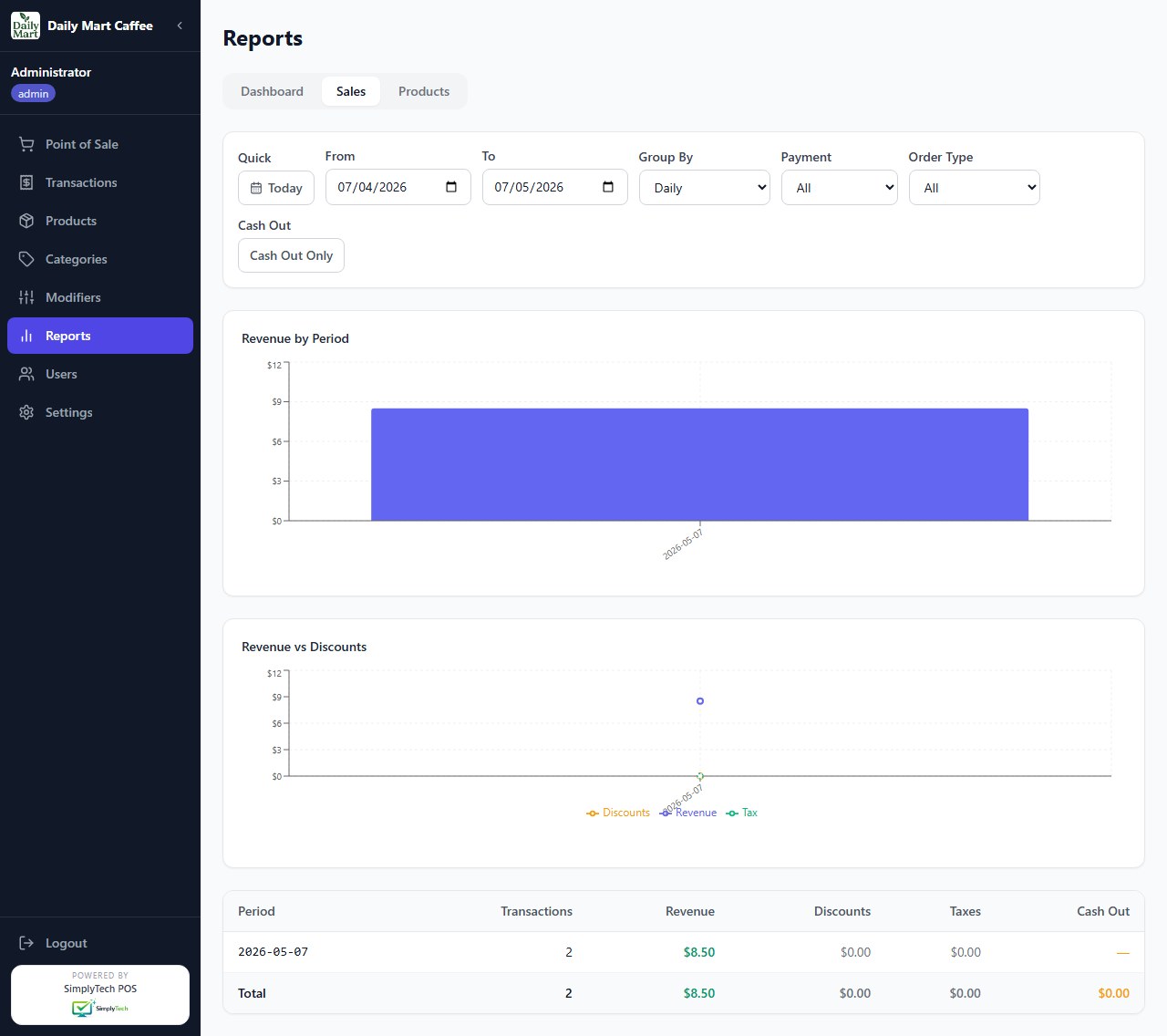
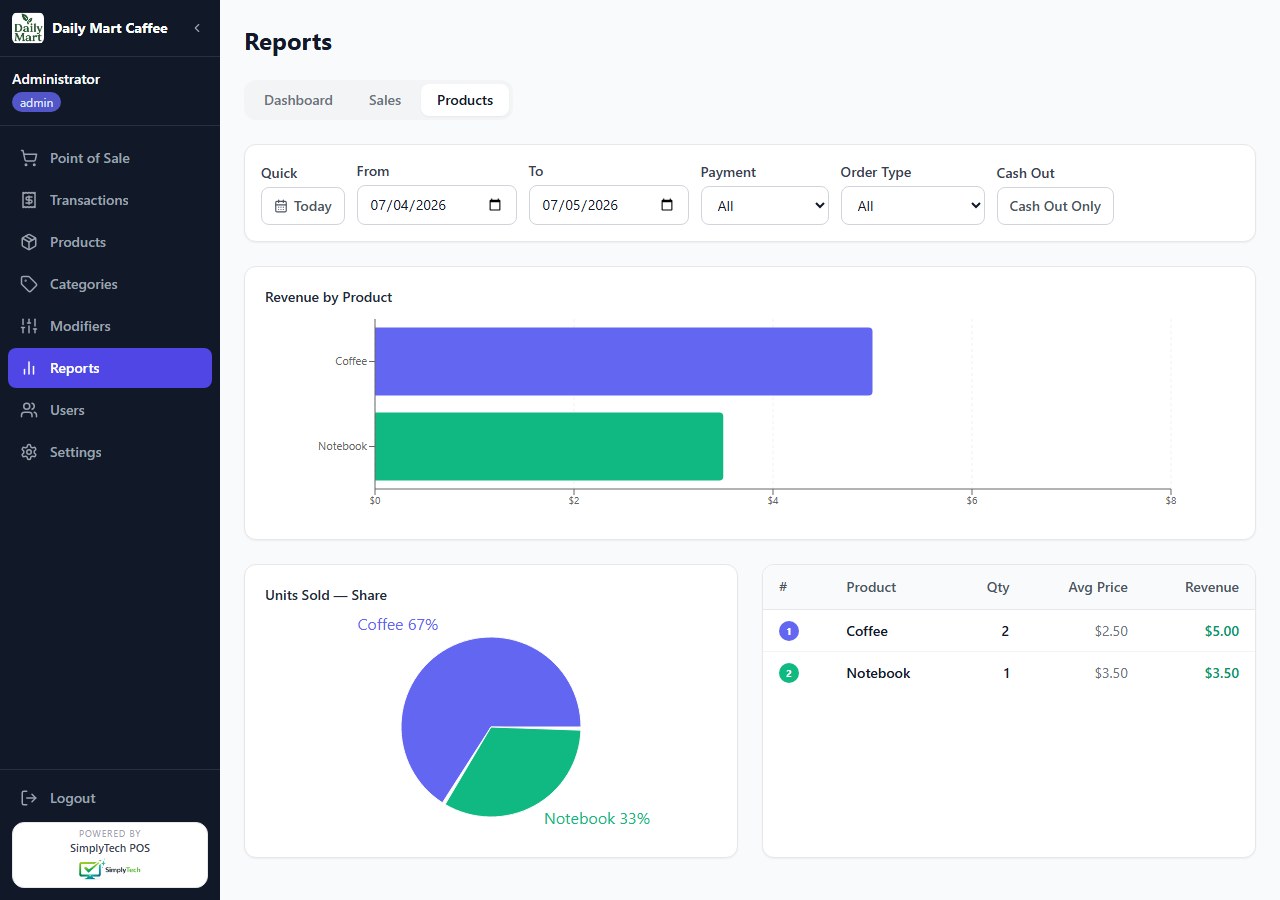
Rich analytics dashboard — area charts, bar charts, pie charts comparing today vs yesterday, this week vs last week, cash vs card split, top products and category revenue.

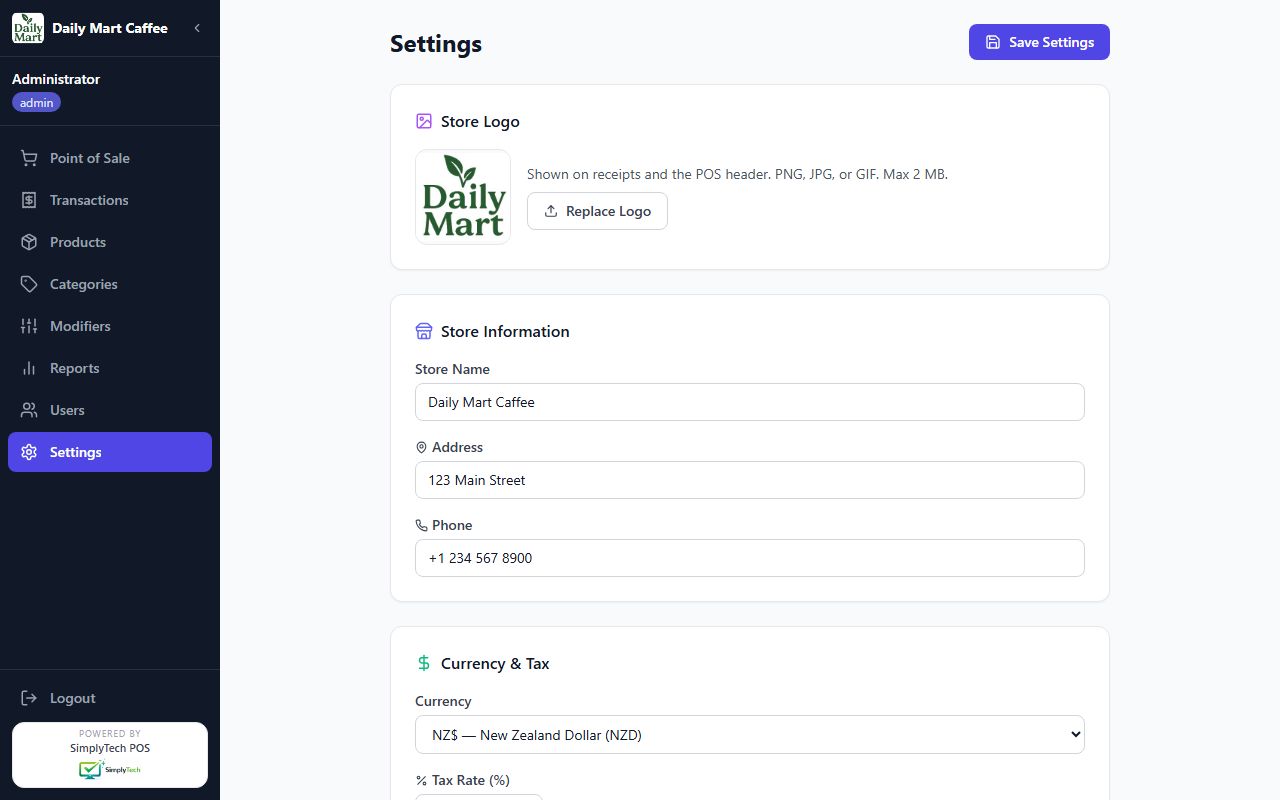
Store settings — logo, store info, receipt footer, printer detection, cash drawer, EFTPOS/Linkly, weighing scale, terminal ID & mode, and sale screen grid size.

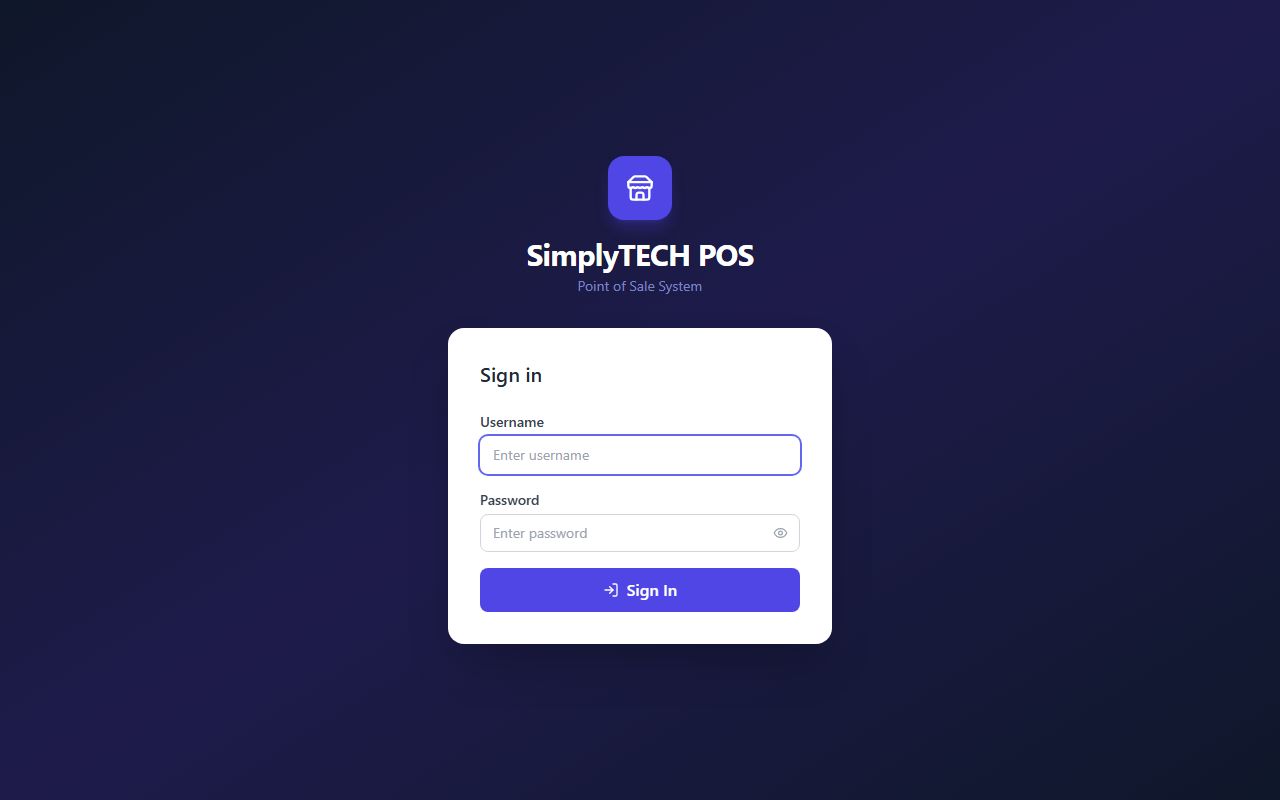
Clean login page with role-based access — separate accounts for admins and cashiers.
SimplyTECH POS ships with a full dark mode — one click switches the entire interface. Perfect for dim cafe environments, evening shifts, or staff who simply prefer it.
A complete point-of-sale system built with modern technology, simple enough for any staff member to learn in minutes.
Grid-style product browser with category filters and barcode scanning. Add items to cart instantly. Supports Dine In and Takeaway order types.
Configurable modifier groups on any product — sizes, extras, options. Perfect for cafes and food businesses with customisable orders.
Accept cash with automatic change calculation, or record card payments. EFTPOS terminal connection is optional — works with any existing terminal, or without one.
Print receipts with your store logo and custom footer. Supports direct printing to thermal printers via built-in SumatraPDF integration.
Interactive dashboard with area, bar, and pie charts — compare today vs yesterday, this week vs last week, cash vs card split, category revenue, and top products.
Track inventory per product. Stock counts update automatically on every sale. Current stock visible directly on the POS product grid.
Create multiple cashier accounts with separate credentials. Admin role has full access; cashier role is restricted to the POS screen only.
Second-screen customer display shows the live order, modifiers, subtotal, tax, and total as items are added — plus ad slideshow when idle.
Auto-opens the cash drawer on every cash sale. Supports network TCP/IP, USB printer, and serial COM connections — test button built into Settings.
Run unlimited counters off one server. Each terminal gets its own ID and receipt prefix (T1-0042). Three modes: Server, Client browser, or Agent (with local hardware).
Automatically fires a kitchen ticket on every sale for products flagged Send to Kitchen. Supports network TCP/IP ESC/POS printers and Windows print queues.
Connect a serial COM scale (CAS, OHAUS, or generic protocol). Mark any product as Sold by Weight — staff weigh at the counter and the reading auto-fills at checkout.
The checkout screen keeps it simple: select Cash or Card, confirm, and the sale is done. EFTPOS terminal integration is optional — process the card on your existing terminal and tap Confirm in the POS.
A full transaction log with receipt lookup, date range filtering, and cash-out tracking. Everything you need for end-of-day reconciliation.
A rich visual dashboard with area, bar, and pie charts — compare periods side-by-side and understand exactly where your revenue comes from.
SimplyTECH POS v2 supports full multi-terminal deployments on your local network. One PC runs the engine; every other counter just connects over LAN. A single line in terminal.conf sets each PC’s role.
maxTerminals in license key (old unlimited keys still valid)Runs the full POS engine and SQLite database. Handles receipts, kitchen printing, and cash drawer. One per site.
Browser only — no local software. Connects to the server over LAN. Receipts print silently via Chrome --kiosk-printing.
Browser + a lightweight localhost:3002 hardware agent. The terminal drives its own scale, cash drawer, and EFTPOS independently — ideal for counters with local hardware.
No tech degree required. No subscriptions. No ongoing fees. Just a solid POS that works every day.
The server runs on your own Windows PC — no internet required after installation. Power cuts, Wi-Fi drops, and ISP outages won't stop your sales.
Pay once, own it forever. No monthly subscription, no per-transaction fees, no seat licences. Same price whether you do 10 sales or 10,000 a day.
The server runs on Windows PC. Staff access the POS from any modern browser on the same network. Mac and mobile support is not available yet.
All data stays on your machine in a local database. No third party can access your sales history, customer information, or business data.
Run from a USB drive or install to your PC in minutes. A desktop shortcut, optional auto-start on boot, and a one-page guide — that's all it takes.
Supplied and supported by SimplyTech, Auckland, New Zealand. Jargon-free tech support from real people who understand small business needs.
See how SimplyTECH POS stacks up against typical cloud-based POS subscriptions.
| Feature | SimplyTECH POS | Typical Cloud POS |
|---|---|---|
| Pricing model | One-time fee | Monthly subscription |
| Works offline | ✓ Fully offline | ✗ Requires internet |
| Data ownership | ✓ Stays on your PC | ✗ Stored in the cloud |
| Monthly fees | ✓ None | ✗ $50–$200+/mo |
| Per-transaction fees | ✓ None | ✗ Often charged |
| Product modifiers | ✓ Included | Paid add-on |
| Multi-user roles | ✓ Included | Often paid upgrade |
| Cash payment + change calc | ✓ Built-in | Varies by plan |
| Card / EFTPOS terminal | ✓ Optional — Linkly / any EFTPOS terminal | Often locked to one provider |
| Receipt printing | ✓ Direct thermal | Varies by plan |
| Runs on existing PC | ✓ Yes | May need new hardware |
| Local NZ support | ✓ Auckland-based | Overseas call centres |
| Multi-terminal counters | ✓ Unlimited on one server | ✗ Paid add-on per register |
| Kitchen ticket printing | ✓ Included | Paid add-on |
| Weighing scale support | ✓ Serial COM, 3 protocols | Varies by plan |
Contact SimplyTech today to get SimplyTECH POS set up for your business. We handle installation, configuration, and staff training.
Auckland, New Zealand
On-site installation available